
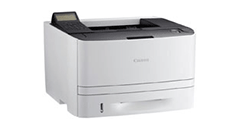
ดาวน์โหลดไดร์เวอร์ Canon imageCLASS LBP-251DW Driver Printer Download
Support OS :
Windows 11, Windows 10 32-bit, Windows 10 64-bit, Windows 8.1 32-bit, Windows 8.1 64-bit, Windows 8 32-bit, Windows 8 64-bit, Windows 7 32-bit, Windows 7 64-bit
| Canon imageCLASS LBP-251DW Driver Download Link : Filename x64 | Size | Download |
|---|---|---|
|
35.8MB | Windows 64Bit |
| Canon imageCLASS LBP-251DW Driver Download Link : Filename x86 | Size | Download |
|---|---|---|
|
35.8MB | Windows 32Bit |
วิธีการติดตั้งไดร์เวอร์ Canon imageCLASS LBP-251DW
- เปิดเครื่อง (ห้ามเสียบสาย USB เข้ากับคอมพิวเตอร์)
- ทำการติดตั้งโปรแกรมจากไฟล์ที่ดาวน์โหลด
- เมื่อโปรแกรมแจ้งให้เชื่อมต่อ ให้เสียบสาย USB
ระบบปฏิบัติการที่รองรับ
- Windows Server 2025
- Windows Server 2022
- Windows Server 2019 (x64)
- Windows Server 2016 (x64)
- Windows Server 2012 R2 (x64)
- Windows Server 2008 R2 (x64)
- Windows 11
- Windows 10 (x64)
- Windows 10
- Windows 8.1 (x64)
- Windows 8.1
- Windows 7 (x64)
- Windows 7
หลังจากติดตั้ง ไดร์เวอร์ Canon imageCLASS LBP-251DW เสร็จแล้ว แนะนำให้รีสตาร์ทเครื่องคอมพิวเตอร์เพื่อให้ระบบตรวจพบเครื่องพิมพ์โดยอัตโนมัติ.
หมายเหตุ: ดาวน์โหลดไฟล์จากแหล่งที่เชื่อถือได้ เช่น เว็บไซต์ทางการของ Canon เพื่อความปลอดภัยและเวอร์ชันล่าสุด.
ดาวน์โหลดไดร์เวอร์และซอฟแวร์อื่นๆของ Canon
ติดตั้งไดร์เวอร์ Canon imageCLASS LBP-251DW Driver ยังไง?
ดาวน์โหลดไฟล์ด้านบน → แตกไฟล์ → ดับเบิลคลิกเพื่อติดตั้งตามขั้นตอน